









Critical PHP Security Flaws: What Website Owners Need to Know
1. What happened?
PHP is the software that runs the behind-the-scenes parts of many websites. WordPress, WooCommerce and Laravel are common examples of products and applications that use PHP.
On 21 October 2026, the PHP project released security updates for two critical flaws, tracked as CVE-2026-109618 and CVE-2026-109619. Security agencies warned that the flaws could let an attacker run code on an affected server without first signing in. Each issue received a CVSS v4.0 score of 9.2 out of 10.
WHY SHOULD A BUSINESS CARE?
If an attacker succeeds, they may be able to interfere with a website or access information available to the PHP process. The exact impact depends on the server’s permissions and setup. This is a server-level issue, not just a problem with one plugin or application feature.
2. What were the problems?
CVE-2026-109618: PHP could mishandle a memory error
When PHP reaches the memory limit it is allowed to use, it must stop or clean up the request safely. In a particular situation, PHP could be interrupted before some internal information was fully prepared. The clean-up process could then handle that information incorrectly. Researchers found that this could potentially be turned into a way to run malicious code.
CVE-2026-109619: PHP could reuse information it should have cleared
PHP handles many requests over time. In another flaw, information belonging to an earlier request could remain in an unsafe state after the memory behind it had been released. A later request handled by the same worker could use that old information. Under the right conditions, this could also lead to code execution.
These flaws are in PHP itself, so the reliable fix is to make sure the PHP runtime has the relevant security updates.
3. Since when was the issue present?
The story unfolded over time. The underlying memory-management problem was noticed during work following a PHP security audit in 2024. A working remote-code-execution path was reported in August 2026. The PHP project announced the security releases on 21 October 2026.
- 2024: An underlying memory-handling problem was identified during security work.
- 11 August 2026: Researchers reported a working remote-code-execution path related to the issue.
- 20 October 2026: The public announcement schedule was brought forward after vulnerability identifiers began circulating.
- 21 October 2026: PHP published patched releases for supported branches.
This does not mean every attack path was known or usable since 2024. The first discovery of a bug, the demonstration of an exploit and the public release of a fix are different milestones.
4. How were the flaws discovered?
Security researchers reviewed PHP’s internal code and tested how it behaved during unusual conditions, such as memory errors and request clean-up. This type of research looks for problems that may not usually appear during normal website use.
The PHP Foundation described a security-audit effort involving Calif, with additional research from OpenAI and Wiz contributing to the investigation. AI-assisted tools helped researchers explore and validate potential issues, while engineers still had to confirm the findings and develop fixes.
The wider lesson for businesses is that even long-established software can have newly discovered security flaws. Keeping the software that runs a website updated is an ongoing responsibility.
5. What could happen if a website is not patched?
Website changes: An attacker who gains code execution may be able to change website files or content if the PHP process has permission to do so.
Exposure of secrets: Configuration files or environment variables accessible to PHP may contain database passwords, API keys or other private information.
Impact on online sales: A successful compromise could affect a storefront, order processing or information available to the application. The exact impact depends on the setup.
Service disruption: A vulnerable process may crash or be abused in ways that interrupt the website.
Risk to other sites: If several websites share the same server account or files, a compromise may reach further than one site. Separating accounts and permissions can reduce this risk.
6. Examples business owners can relate to
A Laravel business application
A company has a well-built Laravel application with login protection and input validation. Those protections are useful, but PHP processes a request before the application’s normal code handles it. If the runtime is vulnerable, application-level protections may not stop this type of attack.
A WordPress or WooCommerce store
The store owner updates WordPress and all plugins, but the hosting account still runs an unpatched PHP version. The website may remain exposed because the underlying PHP software has not been fixed.
Several client sites on one VPS
An agency hosts several websites on one server. If each site has its own user account and restricted permissions, damage may be easier to contain. If all sites share one account, an attacker may have a wider path to other files.
A Docker-based application
A development team updates application code but continues using an old PHP container image. The code is new, but the PHP runtime inside the image is still vulnerable. The image needs to be updated and the corrected deployment needs to be verified.
7. Which PHP versions need attention?
The PHP project published these fixed releases on 21 October 2026. Websites using an older release in one of the listed branches should be reviewed by the hosting provider or technical administrator.
| PHP branch | Fixed release | Recommended business action |
|---|---|---|
| PHP 8.5 | 8.5.12 | Confirm the patched release or a later release is running. |
| PHP 8.4 | 8.4.27 | Confirm the patched release or a later release is running. |
| PHP 8.3 | 8.3.36 | Confirm the patched release or a later release is running |
| PHP 8.2 | 8.2.35 | Confirm the patched release or a later release is running. |
| PHP 8.1 and older | End-of-life branches | Ask for a supported upgrade or written confirmation of a vendor security backport. |
Some operating-system vendors apply security fixes to their own packages without changing the displayed PHP version in the same way as the upstream release. A qualified administrator should verify the package revision and vendor advisory, not rely on the version number alone.
8. What needs to happen on each type of hosting?
The steps depend on who manages the PHP runtime. For most website owners, the safest approach is to have a qualified technical team perform the update and confirm the result. Updating application code alone is not enough.
A Shared hosting: cPanel or Plesk
On shared hosting, the hosting company often manages the PHP installation. Control panels may show a PHP version selector, but selecting a version does not always guarantee that the exact security patch is installed.
- The website owner should ask the hosting provider to confirm that both CVEs have been addressed on the runtime serving the domain.
- The provider should check the PHP version assigned to each domain and whether all relevant PHP handlers have been patched.
- If a version change is needed, the provider or authorised administrator should confirm application compatibility before applying it.
- After the change, the website should be checked for normal operation, including forms, uploads, login and checkout.
B cPanel / WHM managed by agency or IT team
For a server managed through WHM, the administrator should review the official cPanel security advisory, confirm the supported cPanel/WHM release and update the relevant EasyApache PHP packages using cPanel’s documented process. The administrator should then verify which PHP version each website uses and confirm that the fixed package is active.
This should be handled by the server administrator rather than by a person copying commands without knowing the server’s package source or configuration.
C VPS or dedicated server
On a VPS or dedicated server, the business or its technical provider is usually responsible for the operating system, PHP packages and web-server configuration. The administrator should identify all installed PHP versions and handlers, apply the appropriate security update from a trusted operating-system or PHP package source, restart the affected services where required, and verify the runtime used by the public website.
Ubuntu, Debian, Amazon Linux and other distributions may package PHP differently. A version from a third-party repository may need a different update process from a distribution-maintained package. The right approach is to follow the relevant vendor advisory rather than applying a generic command to every server.
D Docker and container-based hosting
Containers often include their own PHP runtime. Updating PHP on the host machine may not change the PHP version inside the application container. The technical team should update the base image or runtime package, rebuild and publish the corrected image, redeploy the service, and confirm that old containers have been replaced.
This also applies to managed container platforms. A deployment should not be considered complete until the running container is verified.
E Cloud servers and serverless applications
| Environment | What the technical team should verify |
|---|---|
| AWS EC2 or another cloud VM | The PHP packages and services on each running instance are patched. |
| ECS, Kubernetes or another container platform | The deployed image contains the fix and old tasks or pods have been replaced. |
| AWS Lambda with a custom PHP runtime or layer | The custom runtime, layer or container image has been updated and the corrected function version deployed. |
| Autoscaling groups | The machine image or launch template is updated and existing vulnerable instances are replaced. |
| Managed PHP hosting | The provider confirms that the active runtime. |
Cloud hosting does not automatically remove the risk. Responsibility depends on the service model and which party manages the PHP runtime.
9. What if a patch is not available immediately?
The PHP project says updating is the only complete fix. Some temporary configuration changes can reduce exposure to particular attack paths, but they do not make the installation fully safe. These should be selected and applied by a qualified administrator using the official advisory.
- Ask the provider for an urgent patch plan.
- Where practical, have the technical team restrict public access to the affected service until it is patched.
- Have the administrator review request and upload limits based on the website’s requirements.
- Do not rely on a web application firewall, CDN, firewall or service restart as a replacement for the security update.
10. How can the business know the update worked?
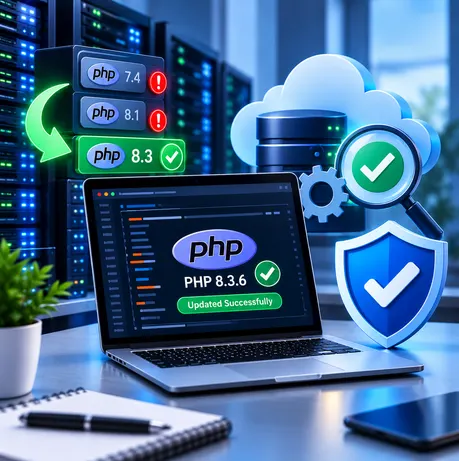
A server may have more than one PHP version. The version used by command-line tools may differ from the version serving the public website. A professional verification should cover:
- Every production domain and its assigned PHP runtime.
- The installed package or container image and confirmation that the fix is included.
- Relevant PHP workers, containers, instances and services after deployment.
- Background workers, scheduled jobs, staging sites and secondary servers.
- Normal website operation, including login, forms, uploads and e-commerce checkout.
- Available logs and security monitoring for signs of unusual activity.
A temporary diagnostic page should not be left publicly accessible. A successful version check is useful, but it does not by itself prove that the server has never been compromised.
11. What if the website may already have been attacked?
Patching prevents further use of the known flaw in the patched runtime, but it cannot undo a compromise that may have happened earlier. If there are signs of suspicious activity, the business should involve its security team.
- Preserve relevant logs and investigate unusual file changes, unfamiliar processes, new scheduled tasks and unexpected outbound connections.
- Assess which database credentials, API keys and cloud credentials the PHP process could access.
- Rotate potentially exposed credentials from a trusted environment.
- If compromise is confirmed, isolate the affected system as appropriate and rebuild from a known-good image or backup after addressing the entry point.
A patched version does not automatically mean that the website is clean. Updating and investigating a possible earlier compromise are separate tasks.
12. Frequently asked questions
No. These flaws are in the PHP runtime. Laravel applications can be exposed if they run on a vulnerable PHP build.
A PHP update should be planned with compatibility checks for important features such as login, forms, uploads, payments and checkout.
The fixed release listed for this branch is 8.5.12, or a later release that includes the same fixes.
No. A restart does not install a security fix. The runtime itself must be patched.
Not necessarily. Containers commonly include their own PHP runtime and need their image updated and redeployed.
Ask the provider to confirm both CVE identifiers, the fixed package or runtime, and that all relevant handlers are updated.
13. Protect your website with a professional security review
The most important action is to confirm which PHP runtime serves your website and ensure the relevant security fix is installed. Your hosting provider or technical team may need to carry out the update. Once it is applied, the live environment should be checked—not just the application source code.
For businesses that do not manage their own servers, this is a good time to review who is responsible for PHP updates, how quickly urgent security issues are handled, and whether the provider can confirm changes in writing.
Sources and official guidance
- PHP official website and security announcements
- The PHP Foundation: Today’s PHP Security Release (21 October 2026)
- CERT-EU: Critical Vulnerabilities in PHP, Security Advisory 2026-018
- cPanel: Critical PHP Security Release — CVE-2026-109618 and CVE-2026-109619
- New Zealand NCSC: PHP vulnerability alert
- Google Cloud: Responding to core PHP vulnerabilities
NEED HELP SECURING YOUR WEBSITE?
Our team can help review your hosting setup, identify the PHP runtime used by each website, coordinate security updates with your hosting provider, test critical business features and investigate warning signs of compromise. We provide a clear summary of the work completed and any further risks that need attention.